Under
- valuation data provider mapping rules to define valuation data preferences
- break test definitions to define break test types, thresholds and applicability
- test allocation settings to define the allocation of break tests resolution into data cleansing tasks
- valuation data cleansing settings to define the currency in which third-party valuation data is reported, the level at which NAV is defined (i.e. at trade level or at entity level) and the onboarding period for new trades
Valuation Data Cleansing Settings
Prior to running a valuation data anomaly detection process, you will first need to define:
- the currency in which third-party valuation data is reported (i.e. trade currency or reporting currency)
- the level at which NAV is defined (i.e. at trade level or at entity level)
- the onboarding period for new trades
1. Valuation Data Currency Type
Under
This is relevant when applying break tests either for NAV scaling purposes (for currency conversion purposes), or when Xplain is one of your valuation data providers, to ensure that the correct valuation calculated in Xplain is used during the data cleansing workflow.
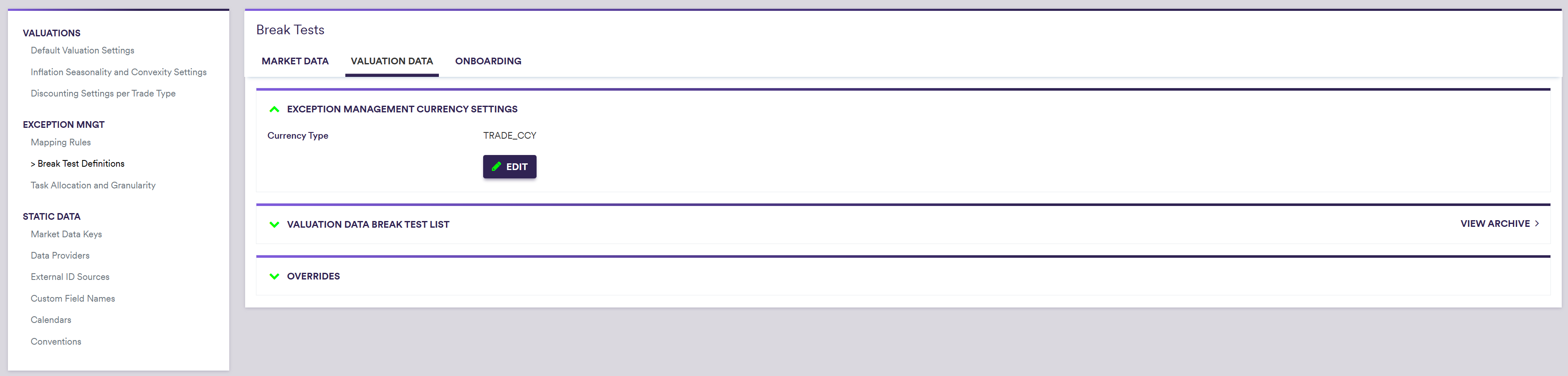
A description of the attributes and corresponding permissible values for data cleansing currency settings are set out in the table below.
| Field Name | Description | Permissible Values |
|---|---|---|
| Currency Type | Currency of third-party valuation data | TRADE_CCY | REPORTING_CCY |
2. NAV Level Definition
Under
3. Onboarding Period
Under
Onboarding tests (i.e. the ones for which Is Onboarding Test is set to TRUE) will be applied only if:
- the Valuation Date is on or after the trade’s NAV Effective Date AND
- the Valuation Date is on or before the trade’s Onboarding Period End AND
- the Vendor Conformity Boolean is set to TRUE at trade level
