At any point in a market data XM workflow, you can view cleaned market data “as-you-go” on an MDK basis, i.e. immediately if there is no break, or as soon as any applicable break has been resolved and approved
Once the market data cleansing workflow is completed, you will be able to choose your market data source (*) when calibrating curves or valuing a portfolio.
(*) ‘Raw Primary’, ‘Raw Secondary’, ‘Raw Tertiary’, ‘Preliminary Primary’, ‘Preliminary Secondary’ or ‘Overlay’.
When Xplain is one of the valuation data providers (as part of a valuation data XM workflow), once the relevant market data cleansing workflow is completed, you will first need to generate Xplain’s valuation data, which will initially be stored as a ‘Dashboard - Overlay’ calculation result.
These valuations will be generated based upon company/entity’s default valuation settings and overlay market data.
You will then need to validate these valuations, which will then be stored as a ‘Dashboard Validated - Overlay’ calculation result, before using them in the valuation data XM workflow.
Saved dashboards will have to be archived if you want to re-rerun the data cleansing workflow on the same market data group for the same date.
1. Viewing Market Data XM Results
Under
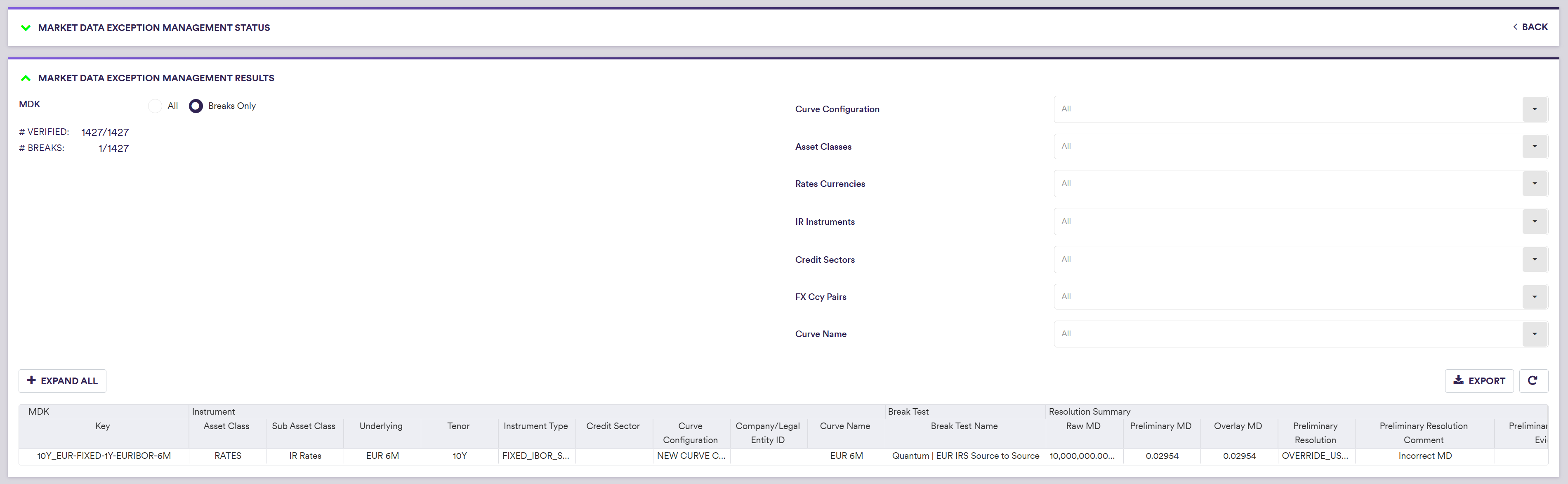
By scrolling to the right, you can view the applied resolution for each phase of the market data XM workflow.
2. Using MD XM Results in Curve Calibration
You can choose to use the cleaned market data for PV calculation and a standalone curve calibration by setting ‘Market Data SOURCE</small>’ to the relevant value (as described in the table below), in the PV calculation settings or the curve calibration parameters. Xplain will use your selected market data source (‘Raw’ or ‘Preliminary’ or ‘Overlay’) with no fallback to raw market data.
When Xplain is one of the valuation data providers (as part of a valuation data XM workflow), once a single overlay market data has been identified (as part of the market data XM workflow on the relevant market data group), only overlay market data will be used in the valuation calculations. Otherwise, Xplain will use raw market data as the fallback.
Cleaned market data will be available “as-you-go”, i.e. immediately if there are no breaks, or as soon as any relevant break has been resolved and approved, as applicable.

Market Data Source Permissible Values
| MARKET DATA SOURCE | Description |
|---|---|
| Raw Primary | Use raw data from the primary market data provider (default) |
| Raw Secondary | Use raw data from the secondary market data provider |
| Preliminary Primary (*) | Use preliminary data for the primary market data provider |
| Preliminary Secondary (*) | Use preliminary data for the secondary market data provider |
| Overlay (*) | Use overlay data |
