For each curve node and volatility point, Xplain automatically generates a unique identifier, referred to as a market data key (MDK), which is derived from the instrument’s characteristics (e.g. tenor) and the underlying index convention. MDKs can be viewed or exported at the curve group level or, when in edit mode, at the curve configuration level. For more detail, you can refer to the MDK Naming Convention section below.
Market data keys are used in Xplain to map market data to the relevant instrument.
The two steps required to define an MDK are as follows:
1. Creating an MDK
Under
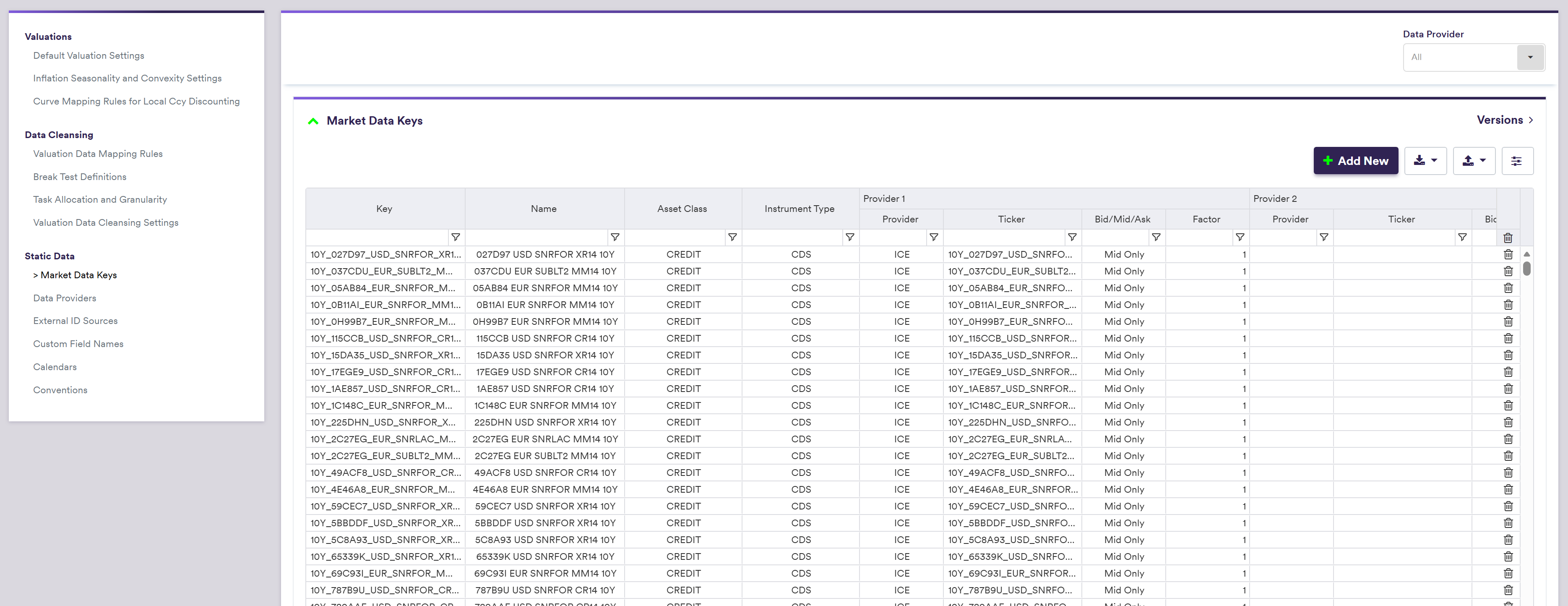
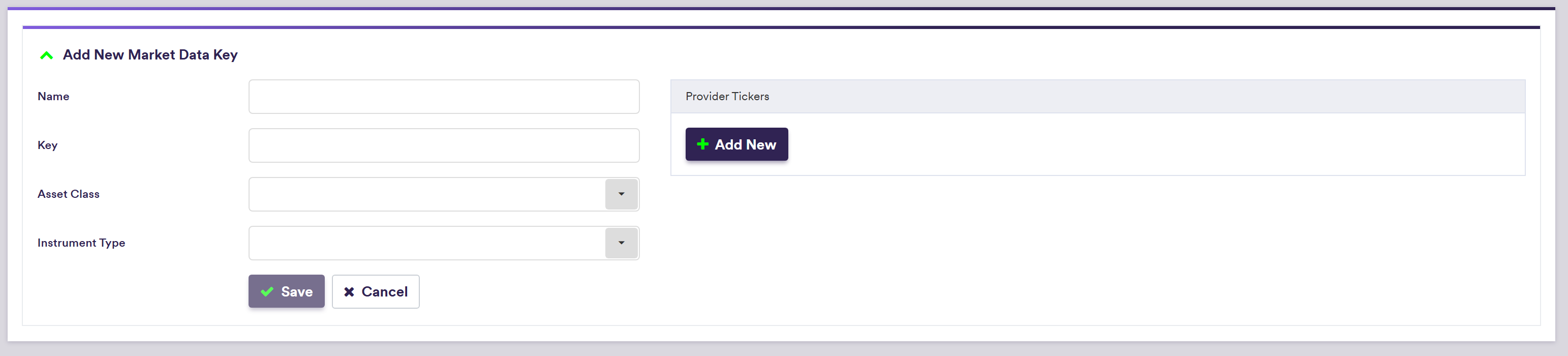
A description of an MDK’s attributes and corresponding permissible values are set out in the table below:
| Field Name | Description | Permissible Values |
|---|---|---|
| Key | The MDK | See MDK overview |
| Name | The MDK’s long name or description | Free text |
| Asset Class | The MDK’s broad classification | RATES | FX | CREDIT |
| Instrument Type | The MDK’s instrument type | See MDK Overview below |
2. Mapping an MDK to a Provider/Ticker
Under
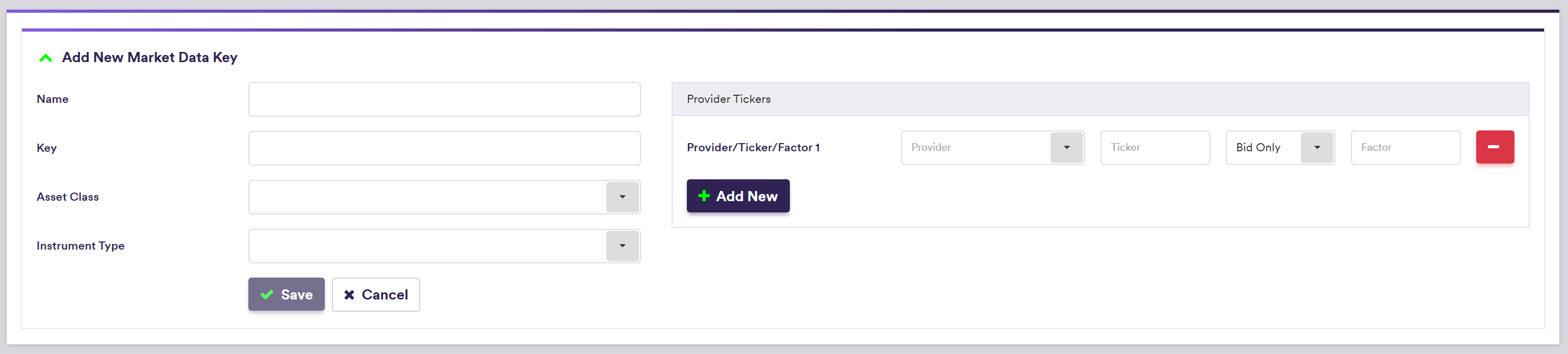
A description of an MDK’s attributes and corresponding permissible values are set out in the table below:
| Field Name | Description | Permissible Values |
|---|---|---|
| Key | The MDK | See MDK overview |
| Provider | The raw market data's provider for that MDK | Any existing market data provider |
| Ticker | The provider's ticker for that MDK | Any (e.g. EUSW10Y) |
| Bid/Mid/Ask | Whether the relevant provider provides bid, mid or ask data only, or both bid/ask data | Bid only | Mid Only | Ask only | Bid/Ask |
| Factor | The MDK's normalisation factor | Numeric (e.g. 100 if expressed as percentage) |
MDK Naming Convention
MDK are automatically generated by Xplain for each curve node and volatility point. MDK are derived from the instrument’s characteristics and the underlying index convention, as set out in the tables below:
For an IR and inflation curve node: MDK = Instrument & “” & _Convention, where Instrument is defined on a curve type basis as set out in the table below.
| Curve Type | Instrument Type (*) | Instrument | MDK Example | |
|---|---|---|---|---|
| IR_INDEX | FixedIborSwap | Tenor | e.g. 5Y_USD-FIXED-6M-LIBOR-3M | |
| IR_INDEX | FixedOvernightSwap | Tenor | e.g. 5Y_USD-FIXED-1Y-FED-FUND-OIS | |
| IR_INDEX | ForwardRateAgreement | FRA Settlement & "x" & Tenor + FRA Settlement | e.g. 1Mx7M_GBP-LIBOR-6M | |
| IR_INDEX | IborFuture | Serial Future | e.g. 2D+1_USD-LIBOR-3M-IMM-CME | |
| IR_INDEX/INDEX_BASIS | IborFixingDeposit | Tenor | e.g. 3M_USD-LIBOR-3M | |
| IR_INDEX/INDEX_BASIS | TermDeposit | Tenor | e.g. 3M_AUD-DEPOSIT-T0 | |
| INDEX_BASIS | IborIborSwap | Tenor | e.g. 5Y_USD-LIBOR-1M-LIBOR-3M | |
| INDEX_BASIS | OvernightIborBasisSwap | Tenor | e.g. 5Y_CAD-CORRA-OIS-6M-CDOR-3M | |
| INFLATION_INDEX | FixedInflationSwap | Tenor | e.g. 5Y_GBP-FIXED-ZC-GB-RPI | |
| XCCY_BASIS | XCcyIborIborSwap | Tenor | e.g. 5Y_GBP-LIBOR-3M-USD-LIBOR-3M | |
| XCCY_BASIS | XCCYOvernightOvernightSwap | Tenor | e.g. 5Y_EUR-ESTR-USD-SOFR | |
| XCCY_BASIS | XCCYIborOvernightSwap | Tenor | e.g. 5Y_EUR-EURIBOR-3M-USD-SOFR-OIS | |
| FX_SWAP | FxSwap | Tenor | e.g. 2Y_GBP/USD |
| IR Volatility Point Type | MDK Definition | MDK Example |
|---|---|---|
| Swaption ATM | Expiry & “v” & Tenor & “_” & “ATM” & “_” & Index | 3Yv10Y_ATM_EUR-EURIBOR-6M |
| Swaption Skew - Moneyness | Expiry & “v” & Tenor &“_”& Moneyness & “_” & Index | 3Yv10Y_+100_EUR-EURIBOR-6M |
| Swaption Skew - Absolute Strike | Expiry & “v” & Tenor & “_” & Strike & “_” & Index | 3Yv10Y_2%_EUR-EURIBOR-6M |
| Cap/Floor Strike | Maturity & “_” & Strike & “CF” & Index | 3Y_-0.50%_CF_EUR-EURIBOR-6M |
| FX Volatility Point Type | MDK Definition | MDK Example |
|---|---|---|
| ATM | CcyPair & “V” & Tenor | 3M_GBP/USDV |
| Skew Risk Reversal 1 | CcyPair & Delta 1 & “R” & Expiry | 1M_GBP/USD10R |
| Skew Butterfly 1 | CcyPair & Delta 1 & “B” & Expiry | 1M_GBP/USD10B |
| Skew Risk Reversal 2 | CcyPair & Delta 2 & “R” & Expiry | 1M_GBP/USD25R |
| Skew Butterfly 2 | CcyPair & Delta 2 & “B” & Expiry | 1M_GBP/USD25B |
| Credit Node Type | MDK Definition(*) | MDK Example |
|---|---|---|
| QUOTED_SPREAD or PAR_SPREAD | Tenor & "_" & CurveID & "_SPREAD" | 5Y_GS_USD_SNRFOR_CR_SPREAD |
| POINTS_UPFRONT | Tenor & "_" & CurveID & "_UF" | 5Y_CDXNA_USD_UF |
| FUNDING | Tenor & "_" & CurveID & "_FUNDING" | 5Y_GS_USD_FUNDING |
| Instrument Type | MDK Definition | MDK Example |
|---|---|---|
| BondYield | MaturityDate ("DDMMMYYYY") & "_" & Cusip | 06MAR2023_BY690737 |
| Node Type | MDK Definition | MDK Example |
|---|---|---|
| FX Rate | Base Ccy & “/” & Counter Ccy | GBP/USD |
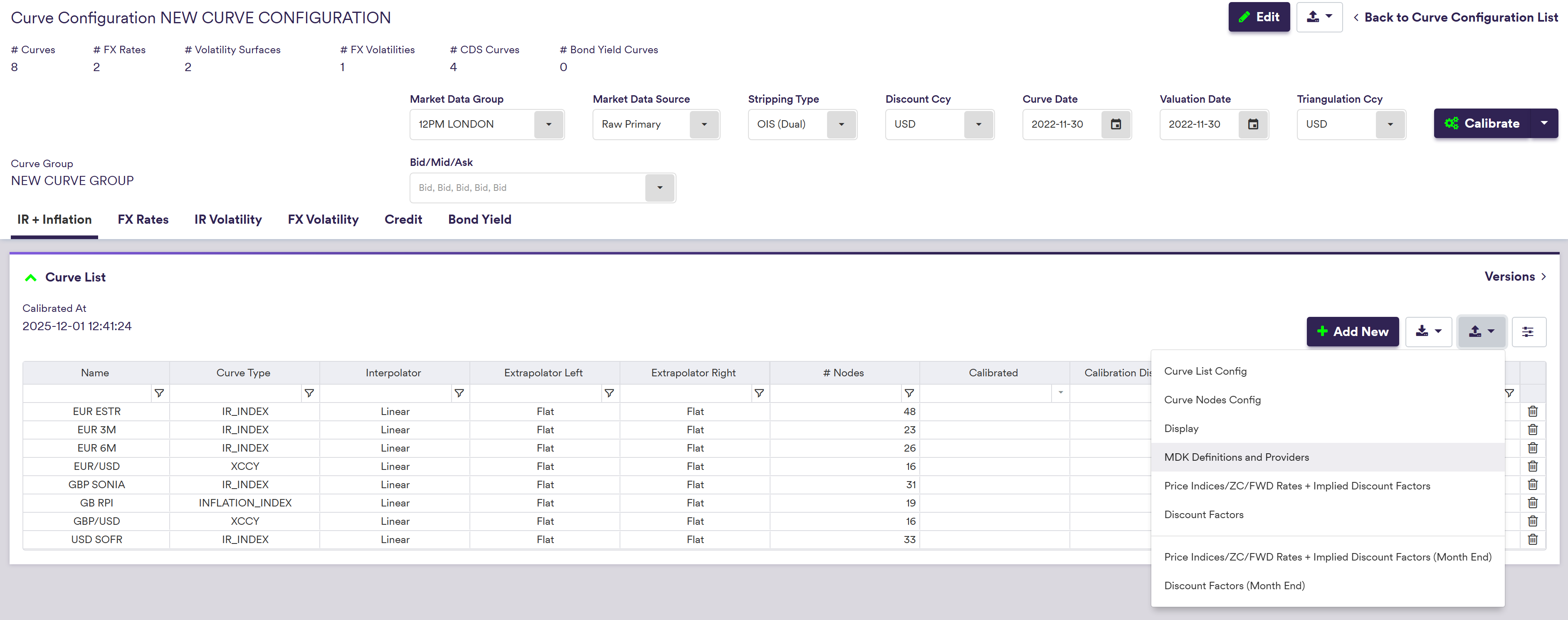
Note that under the
Auto-rolling Provider Tickers for Serial Instruments
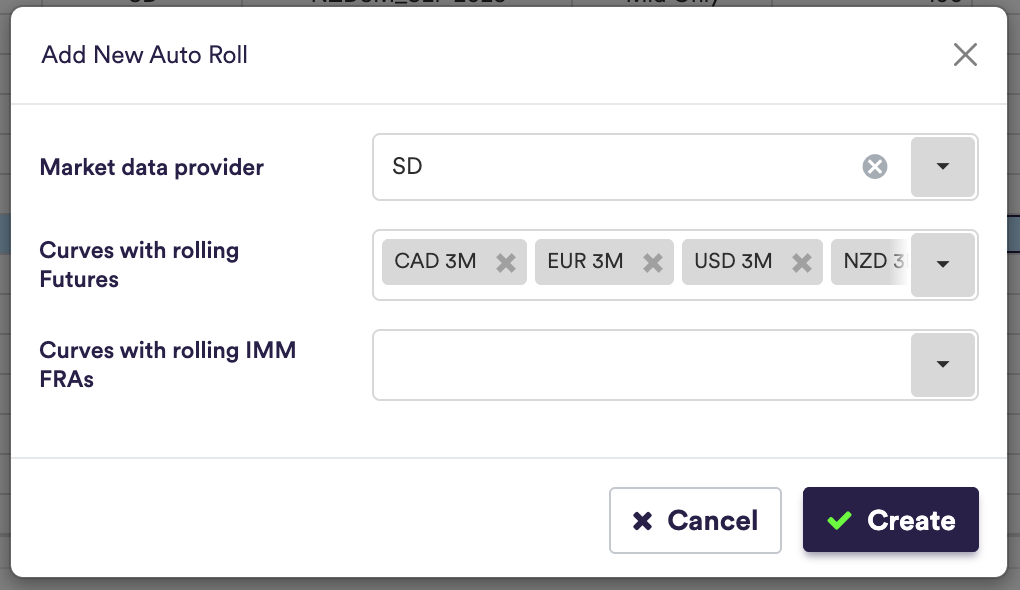
On the Market Data Keys Mapping page, after importing “MDK Definitions and Providers”, serial instruments (IBOR futures and IMM Forward Rate Agreement MDKs) can be auto‑rolled. Auto‑roll creates future versions of provider/ticker mappings for selected serial nodes, grouped by curve and provider.
The process comprises two steps:
- Define the curve/provider combinations to include in the roll.
- Execute the roll to create provider/ticker mappings for the selected curves for the required number of future iterations.
Step 1 is performed in the Serial Instruments Rolling Rules panel on the Market Data Keys Mapping page and is used to define the curve/provider combinations to which auto‑roll applies.

Step 2 is executed from the same panel using the Roll Mapping action. Specify the number of future versions of the serial instruments to create.
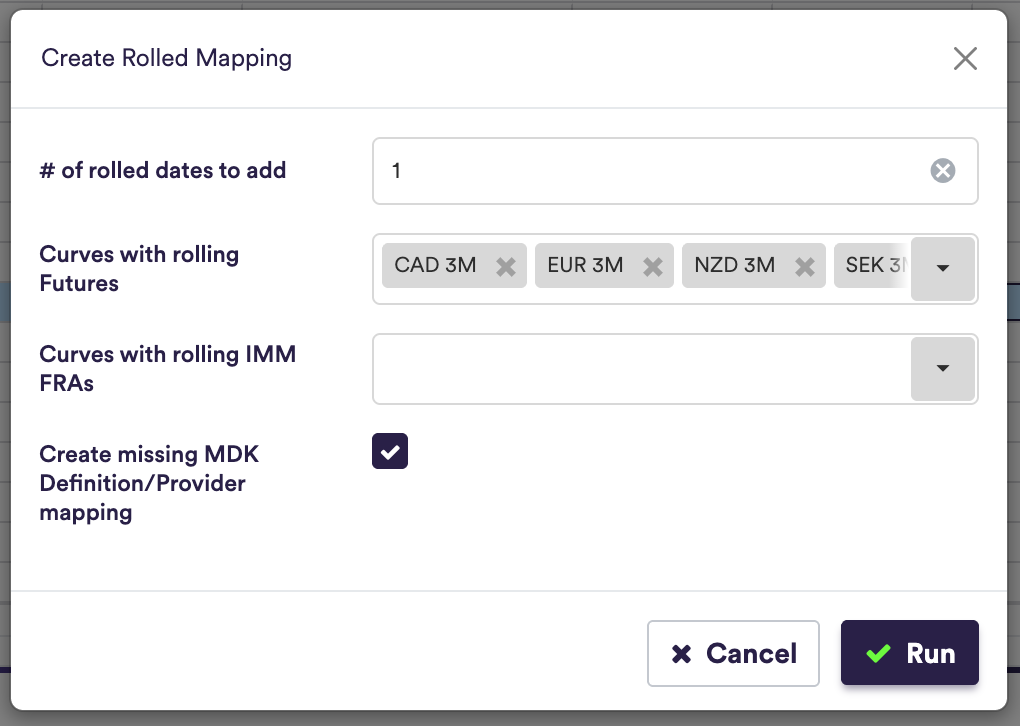
The “Create missing MDK Definition/Provider mapping boolean” toggle automatically creates missing MDKs (Definitions & Providers) if there are any missing. For example, if you have 2D+1, 2D+3 but missing 2D+2. Xplain will automatically create the 2D+2 MDK and populate this with the relevant tickers.
The roll performs the following actions:
- Shifts the mapped ticker up by one position in the provider’s serial list for each future version created. For example, a mapping at 2D+2 becomes 2D+1 after the roll date.
- Creates the requested number of future versions in one run, allowing you to prepare multiple upcoming rolls in advance or run it just before each roll date.
- Produces future major versions of the MDK provider mappings. The anchor date of each version determines which ticker is mapped to each MDK.
- Archives any MDK provider mappings that no longer have a mapped ticker after the shift. These archived mappings can subsequently be updated via imports/provider mapping uploads, replacing duplicates and appending any missing mappings as needed.
Serial Instruments Version List
After a successful role it is possible to visualise up to the next 10 serial instruments. Select a curve and Xplain will display the future rolls dates and tickers that will be used for the relevant MDK on that given date.
