In Xplain, as well as being able to add objects such as curve configurations, portfolios and trades manually or via the API, there is also the option to import these directly from a .CSV file.
On this page, we will discuss:
- How to import any object in Xplain, including showing an example
- How Xplain handles duplicates and missing data when importing
Import Examples
As part of the Sandbox Environment, there are various IMPORT TEMPLATES to import different template objects such as curves, portfolios and market data.
Here, we’ll work through an example of how to import from a file, specifically how to import a curve configuration:
To import a curve configuration (or a list of curve configurations), click on (import) and select the relevant curve configuration definition .CSV import file.

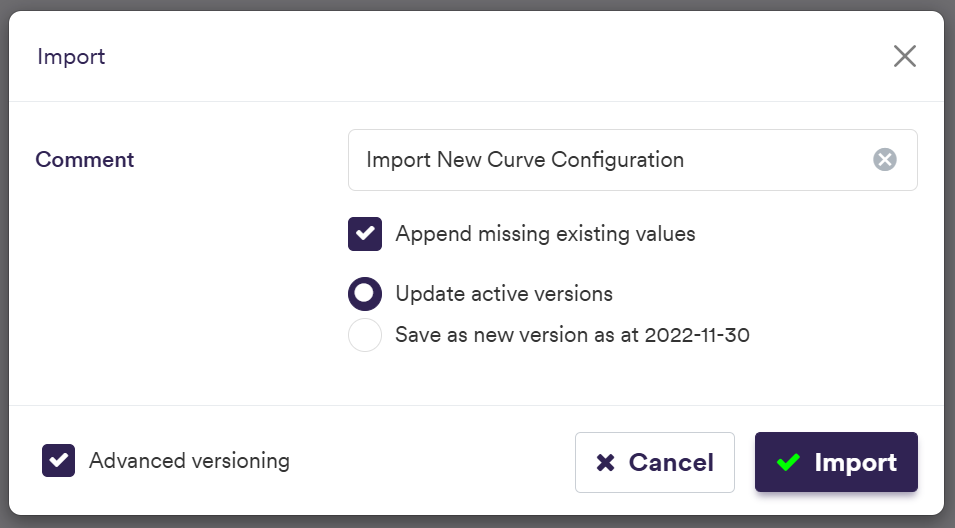
At this point, we have the choice to version our items in different ways. See the Versioning page for more details about how versioning applies to various items.
The import will prompt resolution action if there are any duplicate values or if any existing items are missing in the import file. If there are any duplicate entries, the default option will be to ignore them. If any existing items are missing from the import file, you will also have the option to append or archive such missing existing items.
selecting the relevant curve configuration file

